An AI employee in Slack,
built for your ecommerce business.
An AI coworker that lives in your Slack and runs your store better than your agency — Shopify + Klaviyo audits, advertising campaigns, multi-channel reports, and more. A bias toward action: it drafts based on your real data. It never sends, charges, or deletes without your go. $50/mo = 20,000 credits, whole team.
Works in these and 3,000+ other tools — it doesn't just read them, it acts in them
One job, start to finish
Watch a real task go from a Slack message to finished work — a real audit, a drafted campaign, and Sterling waiting for a one-word "go" before the send.
So what does handing off that Friday actually look like? Three steps — and you're only in one of them.
Hiring takes weeks. Delegating to Sterling takes one Slack message.
Setup is minutes, not a project: add Sterling from the Slack directory, connect your tools — Shopify, Klaviyo, your ad accounts, QuickBooks, your CRM, 3,000+ apps — and set what each teammate can do with each one: off, view, or full. Then you just talk to it.
How Sterling responds in Slack
Start with a DM or an @mention. Keep the work in one thread.
Invite Sterling to any channel where you want it to work. It responds to direct messages, direct @mentions, and replies in a thread where it is already helping.
Assign the job
DM Sterling, or mention @SterlingAI in a channel and describe the result you need.
Stay in the thread
Reply in the same thread to add context, answer a question, or change the draft.
Approve the action
When Sterling asks for approval, review the work and reply "go" only when it is ready.
Ask for help
DM Sterling and type help for usage instructions and a link to support.
AI accuracy notice
Sterling uses Google Gemini to generate responses, summaries, drafts, and recommendations. AI-generated output can be inaccurate or incomplete. Review important output before relying on it or approving an action.
Setup walkthrough
See Sterling go from install to first job
See how Sterling gets added to Slack, connects to the tools you already use, and receives its first real assignment.
1Ask in plain English
Type the job the way you'd brief a new hire: "Run our weekly Shopify and Klaviyo audit and draft the win-back campaign." No triggers, no canvas, no JSON — just the ask.

2Sterling does the work
It gets to work on its own: connects to your stack, pulls Shopify and Klaviyo, compares ROAS across Meta and Google, builds the report, drafts the emails in your voice, and updates the records you asked it to — all in a Slack thread you can watch, on secured Google Cloud, not somebody's laptop.
3It reports back, and waits for your “go”
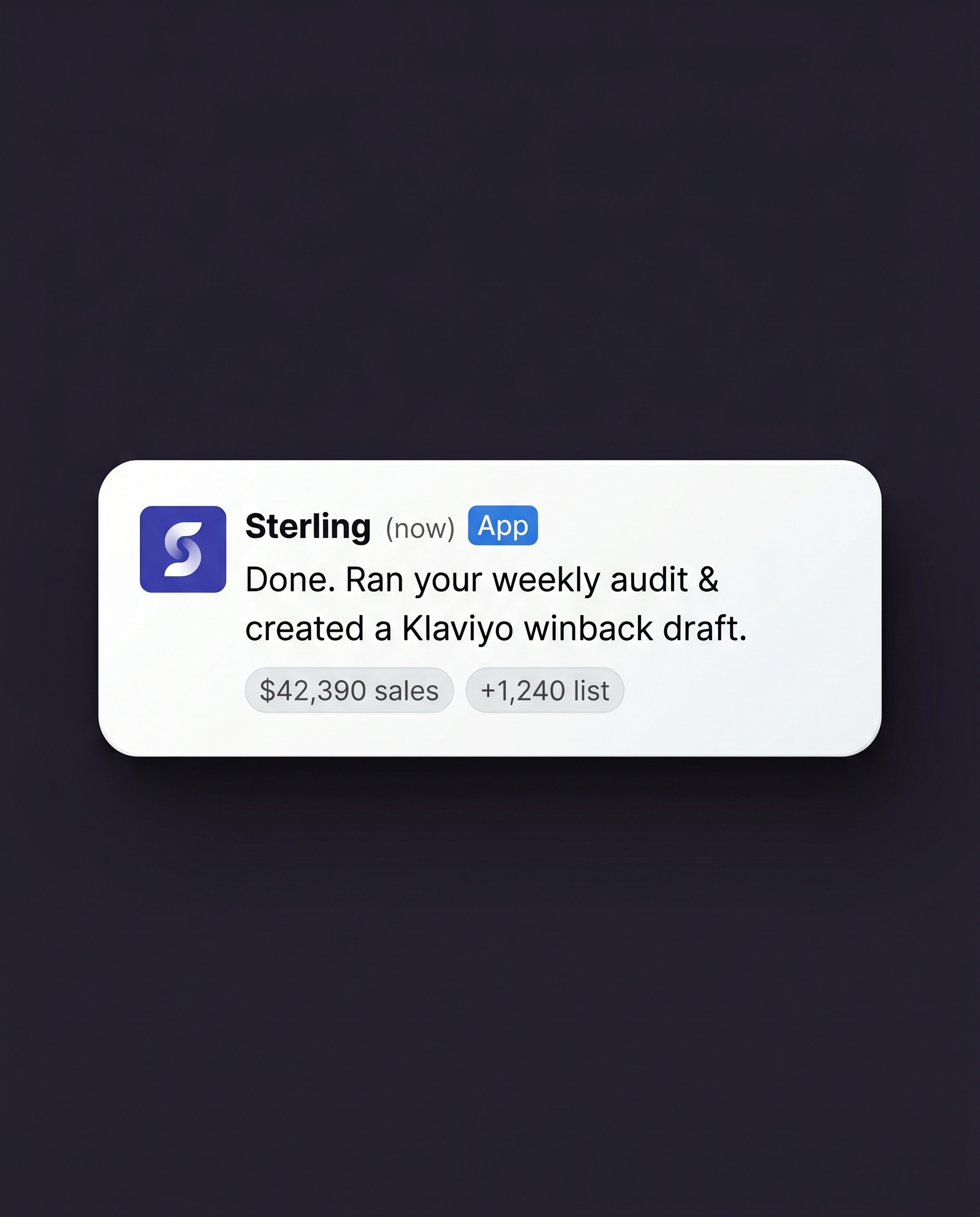
The finished work lands in your thread. It won't message a customer, spend a dollar, or delete anything until you reply "go" — that one word is the only step that's yours. Reply go, or edit it first. Either way Sterling executes and logs it, and recurring jobs run on the same terms every single time.
Here’s that loop running on three real desks.
Here’s how a delegated job actually runs
We don't publish invented names or borrowed praise. Until signed customer quotes exist, here's exactly what delegating to Sterling looks like — and 20,000 free credits to run the test on your own store.
Ecommerce use case walkthrough
Watch Sterling handle a real ecommerce workflow
Follow the workflow from the first request to completed work, with the approval step kept inside Slack.
Monday, 7:40 a.m. — the weekly numbers
You type: "Run the weekly Shopify and Klaviyo audit."
Sterling pulls the numbers, compares ROAS across Meta and Google, flags the SKU that slipped, and drafts the win-back in your voice.
When you sit down, the report and the emails are waiting. You reply "go," and the campaign sends. Your coffee's still hot.
Wednesday — the client report
You tell Sterling: "Build the weekly client report and draft the follow-ups."
It compiles the report, drafts the emails in the client's voice, and logs the CRM updates you asked for.
You fix one line, reply "go" on the emails, and the client has finished work an hour after they asked.
Week three — where tools usually die
"The real question is what happens on week three when an edge case shows up," wrote one Reddit owner.
With Sterling, week three shows up in a thread you're already reading — it flags the edge case and asks how to handle it.
It doesn't fail silently on an invoice you find later. It doesn't have flows to break. It has a job.
That's the work. Here's the math on who else could do it — and what they cost you.
A VA runs $600–$1,100 a month, plus your evenings.
Sterling is $50, plus one word.
"Expect to pay $50-70 per hour. If you aren't paying that in cash to the VA, then you are paying it in your time," wrote one Reddit owner, doing the real math on delegation. Sterling does the work a hire would — and stops before it sends, spends, or deletes anything without your go.
The Human VA
You manage it- ✕Screening, training, and re-explaining — every new task, every new hire.
- ✕Timezone gaps, sick days, turnover.
- ✕"I have had to put way more work into micromanaging everything that I assumed they would have the sense to just do by default." — a Reddit owner
Sterling Coworker
You give the goto start — 20,000 credits included, a $50 value
- ✓Initiates and finishes the work — audits, campaigns, CRM writes — across Shopify, Klaviyo, ads, QuickBooks, your CRM, and 3,000+ apps. Acting, not just reading.
- ✓No training. It doesn't need onboarding. It needs a task.
- ✓It won't send, charge, or delete without your "go" — a one-word reply in the thread — and each teammate's access is off, view, or full, per tool. Every action logged.
- ✓Unlimited seats, metered in credits. The whole team delegates; $50 covers 20,000 credits of finished tasks a month.
Standard Chatbots
More homework- ✕Advice, not action — you still log in, export, paste, and send.
- ✕"It doesn't DO anything… every output has to be copy-pasted somewhere by a human." — a Reddit owner
- ✕Touches none of your systems: no store data, no campaigns, no books.
Ecommerce jobs, live today
Rivals treat ecommerce as a roadmap tab. Sterling runs a store's real jobs today — audits, ROAS, win-backs, reconciliation.
Control per person, not per policy
Set each teammate's access per tool — off, view, or full. Nothing customer-facing or costly goes out without your one-word "go."
Pricing you can reason about
$50/mo = 20,000 credits for the whole team. No per-seat fees; top-ups are $25 for 10,000, on your call.
Built to a skeptic's spec
Every job runs in a Slack thread you can watch, with an audit log and a pause button — and your "go" before anything ships.
One coworker covers all of it. Here’s the Friday each kind of owner gets back.
One coworker.
The whole to-do list, off your plate.
Sterling runs multi-app jobs across your stack out of the box — no configuration project, no prompt engineering — and nothing leaves your business without your one-word "go."
For Ecommerce Owners
Get your Fridays back — stop living in Shopify, Klaviyo, and Ads Manager.
Sterling runs the weekly audit, compares ROAS across Meta and Google, flags the SKU that slipped, and drafts the win-back campaign in your voice — waiting on your "go" before a single email reaches a customer. Your morning business pulse lands in Slack before you've opened a dashboard.
For Agencies & Consultants
Take the new client without adding the admin.
The repetitive client grind, handled: Sterling captures and enriches leads into your CRM, compiles each client's weekly report, and drafts follow-ups in their voice. The internal updates just happen; the client-facing emails wait for your "go." Messy Slack threads become tracked action items, done.
For Founders & CEOs
Run the company on a daily pulse, not a fire drill.
Sterling builds your board digest — clean expense, sales, and marketing numbers — on schedule, and drops a daily business pulse in Slack every morning. It enriches new leads straight into your CRM, and scans ledgers for duplicate charges and wrong bills — flagged to you, never "fixed" silently.
Are you a VA or an EA?
I know this page says that we can replace you — however, we work best WITH you.
A personal note from the founder
Why I built Sterling Coworker
I spent years building automated workflows for high-growth businesses. Every single week, I noticed the same pattern: business owners were drowning in software dashboards, or spending thousands of dollars managing virtual assistants just to keep up with basic tasks.
ChatGPT was supposed to fix this, but it just gave us more homework. It told us what to do, but we still had to log in, export the data, draft the copy, and build the emails ourselves.
I built Sterling because I wanted an employee, not an advisor. I wanted something that lives where my team already works (Slack), connects directly to our business stack, and actually finishes the task on day one.
No training manuals, no timezone delays, and no micromanagement.
If you're tired of babysitting your software and your staff, give Sterling one real job. Your first 20,000 credits are on me — and they run on your real store, not a demo.
Allen Brouwer
Founder, sterlingcoworker.com
No hire, no per-seat math, no surprise invoice. Here's the whole price, and you can do it in your head.
Pricing you can do in your head.
$50 a month = 20,000 credits for your whole workspace. Your first 20,000 are free. Pause or cancel anytime from the dashboard.
Team Workspace Access
Get started for
20,000 credits included — a $50 value. No card required.
- ✓20,000 free credits to start — they run on your real store, not a demo
- ✓Then $50/month = 20,000 workspace credits each month — they cover the jobs you actually delegate: the weekly audit, the campaign drafts, the CRM updates
- ✓Unlimited seats — no per-seat charges; usage is metered in credits, so the bill doesn't grow with headcount
- ✓Unlimited app connections — Shopify, Klaviyo, ads, QuickBooks, CRM, 3,000+ more
- ✓80% low-balance alert in Slack — you hear about it before it matters
- ✓Top-ups are $25 for 10,000 credits — decided by you, not discovered on an invoice
- ✓Credits reset each month. Run out entirely? Sterling pauses and tells you — it never keeps spending.
What 20,000 credits gets you each month:
- →Your weekly multi-app audits and reports, built and delivered
- →Campaign, email, and ad drafts waiting for your go
- →A daily business-pulse digest in Slack, every morning
- →Lead enrichment and CRM logging, running on schedule
Nobody buys credits. They buy finished Mondays.
Free to prove on your own store.
Your first 20,000 credits are free and run on your real store — no card. Put Sterling on the weekly audit, the one job you know exactly how long it takes you by hand. Sterling alerts you at 80%, and if credits run out it pauses until you top up or the new month lands. If the finished report isn't worth $50 a month to you, walk away having spent an afternoon and $0.
Frequently Asked Questions
Everything you need to feel confident hiring Sterling
Is Sterling secure?+
Can I trust it not to post things or edit my tools without permission?+
How easy is it to set up? Do I need servers or IT?+
Does it cost extra to add my team members?+
How do the 20,000 free signup credits work?+
What apps and platforms does Sterling connect with?+
Is Sterling a good fit for ecommerce and DTC brands?+
Is it a good fit for marketing agencies and consultants?+
What happens if I run out of monthly credits?+
Is there a contract, and can I cancel anytime?+
You’ve read how it works. Here’s the only move left.
Give Sterling the one job you already know by heart.
The weekly audit — the one you could time by hand. Hand it over and watch the loop run on your own store. Your first 20,000 credits are free, no card to enter, and they run on your real store, not a demo. If the finished report isn't worth $50 a month to you, you've spent an afternoon and $0.
Add Sterling to My Slack — 20,000 Credits FreeP.S. Every tool on the market promises to "do the work." Here's the line that matters when it's your store, your list, and your ad account on the line: Sterling does everything up to the send. The send is yours. It drafts, builds, reconciles, and reports on its own — then stops and waits for one word from you before anything reaches a customer, costs a dollar, or can't be undone. Start free with 20,000 credits and put it on one real job. Worst case, you got a free audit of your own store.